Understanding Google Maps Offline Usage
Have you ever found yourself in a situation where your phone’s signal drops, leaving you stranded without directions? Google Maps Offline Usage is a lifesaver in such scenarios. Picture this: you’re on a road trip through the remote hills of Colorado, and suddenly, your signal disappears. With Google Maps Offline, you can still navigate without needing an internet connection. This feature is crucial for travelers, outdoor enthusiasts, and anyone venturing into areas with unreliable service. But how exactly does it work, and what are the benefits?
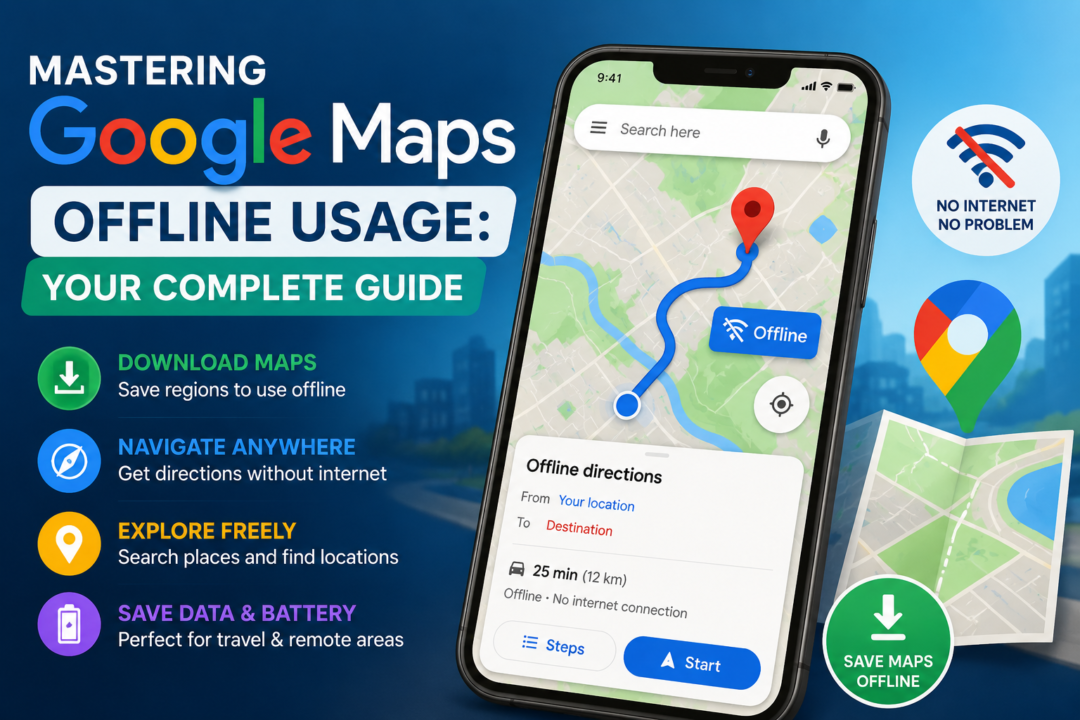
Google Maps allows users to save specific areas of the map for offline access. This means that even when you’re out of range, you can still find your way, check traffic conditions, and search for locations. For example, last summer, I took a trip to a national park where cell service was spotty at best. Thanks to offline maps, I was able to find scenic viewpoints and hiking trails without any hassle. The ability to access maps offline not only saves you from potential frustration but also helps you avoid data overages when roaming.
How to Download Maps for Offline Use
Downloading maps for offline usage is straightforward. Follow these steps to ensure you’re prepared before heading out:
- Open Google Maps: Launch the app on your mobile device. Make sure you’re connected to Wi-Fi to save on data.
- Search for a Location: Type in the name of the city or area you wish to download. For instance, if you’re planning a trip to New Orleans, simply type in “New Orleans.”
- Select the Area: Once the location appears, tap on the name or address at the bottom of the screen. This will bring up more details about the area.
- Download the Map: Look for the option that says “Download” and tap on it. You’ll be prompted to select the area you want to save. You can pinch the screen to adjust the size of the area you wish to download.
- Confirm Download: Choose the area size based on your needs and hit “Download.” The app will show you how much storage the download will take, so you can decide if it fits your available space.
Once downloaded, the area will be accessible offline, allowing you to navigate without worrying about connectivity. Remember, however, that these maps aren’t updated in real-time without an internet connection, so ensure you download the latest version before your trip. I often recommend downloading maps the night before a big trip when you have a good Wi-Fi connection.
Benefits of Using Google Maps Offline
The advantages of utilizing Google Maps Offline Usage are numerous. Here are some key benefits:
- Data Savings: Downloading maps helps you save on data usage, especially important for those with limited plans. If you’re traveling internationally, you’ll be glad to avoid those hefty roaming charges.
- Reliability: Offline maps ensure you can always find your way, even in remote areas where signals are poor or nonexistent. For instance, I once drove through a rural area in Texas where my signal dropped completely. Thankfully, I had my maps saved, allowing me to reach my destination without a hitch.
- Speed: Accessing maps offline is typically faster than loading them via a slow internet connection, which can be frustrating when you’re in a hurry.
- Battery Conservation: When you’re offline, your device can conserve battery life, as it won’t be constantly searching for a signal. This can be a game changer on long trips where charging options are limited.
These benefits can significantly enhance your travel experience, making it easier for you to explore new places without added stress. Imagine being able to navigate through the winding streets of Florence without worrying about your data plan or battery life!
Limitations of Google Maps Offline Usage
Despite the clear advantages, there are limitations to Google Maps Offline Usage that you should consider:
- Limited Updates: Offline maps do not receive real-time updates, meaning you won’t have access to live traffic data or new road changes. If a new road has been built or a detour is in place, you won’t know until you’re already on the road.
- Size Restrictions: There’s a limit to how much map data you can download, which may restrict larger areas, especially in densely populated cities. Trying to download a whole city like San Francisco might not be possible if you’re low on storage.
- Search Functionality: While you can search for saved locations, you won’t be able to search for new places without an internet connection. So, if you suddenly decide you want to find a restaurant while exploring, you might be out of luck unless you’ve already searched for it.
Understanding these limitations is essential, as it allows you to plan your offline map usage effectively. Always ensure that you download the latest maps before your journey. I often make a checklist to remind myself of areas I want to explore, so I can search them out while I’m still connected.
Tips for Optimizing Offline Map Usage
To get the most out of your Google Maps Offline Usage, consider these tips:
- Regular Updates: Periodically update your offline maps to ensure you have the latest information. It’s a good practice to check for updates every couple of weeks if you travel frequently.
- Manage Storage: Be mindful of your device’s storage space, as offline maps can take up significant room. Delete maps you no longer need, especially if you’re planning a trip to a new area.
- Use Wi-Fi: Download maps over Wi-Fi to avoid consuming your mobile data. Always take advantage of hotel Wi-Fi or any free public Wi-Fi you can find.
- Explore Features: Familiarize yourself with features like points of interest and saved locations while online to make the most of your offline experience. This way, when you’re out exploring, you’ll know exactly where to head next.
By applying these tips, you can ensure a smooth and efficient navigation experience, whether you’re on a road trip or exploring a new city. Plus, you’ll be able to enjoy the journey without constantly worrying about your phone’s battery or data usage! Phone Charging Slowly Fix: Top Solutions You Need to Know
Google Maps Offline vs. Other Navigation Apps
When comparing Google Maps Offline Usage to other navigation applications, it’s essential to evaluate their features and usability:
Navigation Accuracy
Google Maps is known for its accuracy, thanks to its extensive database and user contributions. Other apps may not have the same level of detail, particularly in rural areas. For example, I once tried a lesser-known app while hiking and found that it led me to a dead-end trail, while Google Maps had clear directions to the main trailhead.
User Interface
The interface of Google Maps is intuitive and user-friendly. While some competitors offer offline capabilities, they may not be as easy to navigate. Familiarity with Google Maps can give you an edge when using offline features. My friends who use alternative apps often ask me how to find features easily, and I can guide them through Google Maps with confidence.
Additional Features
Google Maps includes various features, such as restaurant reviews, photos, and transit directions, which may not be available in other navigation apps. This can enhance your overall travel experience. Imagine discovering a hidden gem of a restaurant on your offline map because of its stellar reviews!
Choosing the right app depends on your specific needs, but Google Maps tends to be a reliable choice for offline navigation. Personally, I always have it as my go-to navigation app, especially when I’m in unfamiliar territories.
How to Troubleshoot Offline Map Issues
Sometimes, you may encounter issues with Google Maps Offline Usage. Here’s how to troubleshoot common problems:
Map Not Downloading
If your map isn’t downloading, check your internet connection. Ensure you’re connected to Wi-Fi. If you still face issues, try restarting your device and attempting the download again. I’ve found that sometimes, simply closing the app and reopening it can resolve minor glitches.
Outdated Maps
If you notice discrepancies in your offline maps, it may be time to update them. Go into the app settings and check for available updates. Regularly updating your maps ensures you have the most accurate information. I usually set a reminder on my phone to check for updates right before big trips.
Insufficient Storage
If you receive a notification about insufficient storage, delete unused apps or offline maps to free up space. Regularly managing your device’s storage can prevent this issue in the future. I often go through my downloads every few weeks to keep everything organized. Recover Deleted Photos Android: A Complete Guide
Troubleshooting these common issues can save you time and frustration while on the road. It’s always better to be prepared than to find yourself lost without any backup options.
Common Questions About Google Maps Offline Usage
There are several common questions users have regarding Google Maps Offline Usage. Let’s address a few:
Can I access directions offline?
Yes, once you’ve downloaded a map, you can access directions for locations within that area offline. This feature saved me during a recent camping trip when I needed to find my way back to the campsite.
Do offline maps expire?
Yes, offline maps can expire after a certain period, typically 30 days. Make sure to update them regularly. I’ve had instances where I forgot to refresh my maps and ended up with outdated info.
How much space do offline maps use?
The space used depends on the area you download. Smaller towns may take up less space than larger metropolitan areas. Always check the size before downloading. I always make it a point to manage my storage, especially before vacations.
Can I download multiple areas?
Yes, you can download multiple areas, but be mindful of your device’s storage limitations. It’s smart to prioritize the most critical areas you’ll be visiting first.
Does offline usage affect my battery life?
Using offline maps can actually conserve battery life, as your device won’t be searching for a signal. This is particularly beneficial during long drives or hikes where charging might not be an option.
Conclusion
Google Maps Offline Usage is an invaluable tool for anyone who travels frequently or ventures into areas with unreliable internet service. By understanding how to download maps, the benefits and limitations, and how to troubleshoot common issues, you can enhance your navigation experience significantly. Make the most of this feature and enjoy your travels with confidence! And remember, if you ever find yourself dealing with tech issues, whether it’s slow phone charging or problems with your WhatsApp media, check out our other guides to keep your tech in top shape. Safe travels!