

Understanding Google Account Recovery
Have you ever found yourself locked out of your Google Account? It’s frustrating, isn’t it? Google Account Recovery is designed to help you regain access to your account quickly. In an age where our online presence is crucial—from emails to documents and even personal photos—being locked out can feel like a nightmare. Google provides several methods to recover your account, whether you’ve forgotten your password or lost access to your recovery email. Knowing how to navigate this process is essential, especially in our tech-driven world where so much hinges on our online accounts.
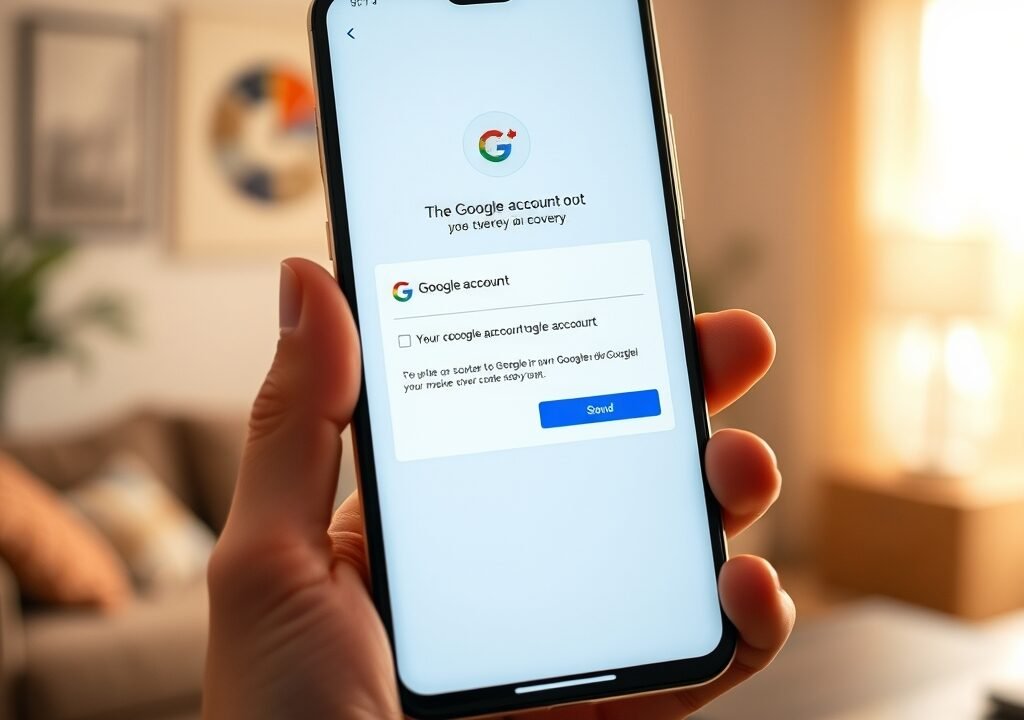
When you start the recovery process, the system will first ask for your email address or phone number associated with the account. It’s crucial to provide accurate information. Google’s algorithms will then try to verify your identity through various means, such as sending a verification code to your recovery phone or email. This process is designed to ensure that only you can access your account, maintaining your privacy and security. In this article, we’ll delve deeper into the recovery process, share personal anecdotes, and provide you with practical examples to make this experience as smooth as possible.
Common Reasons for Account Recovery
There are several scenarios where you might need to initiate Google Account Recovery. Some of the most common reasons include:
- Forgotten Password: This is the most frequent reason users seek recovery. If you can’t recall your password, Google allows you to reset it through various secure methods. For instance, I remember a time when I was rushing to send an important email and suddenly realized I’d forgotten my password. It was panic-inducing, but I managed to reset it quickly by following the recovery prompts.
- Lost Access to Recovery Options: If you’ve changed your phone number or lost access to your recovery email, it complicates the recovery process. A friend of mine recently switched carriers and forgot to update her recovery number. When she tried to recover her account, she found herself stuck. The lesson here? Always keep your recovery options updated.
- Account Hacked: If you suspect your account has been compromised, you’ll want to regain access immediately to secure your data. In one instance, a colleague had his account hacked, and he was horrified to see unauthorized emails sent from his account. He acted swiftly, using the recovery steps to regain control and change his password, ultimately securing his account.
- Account Disabled: Sometimes, accounts are disabled due to violations of Google’s policies, and you may need to recover them. This situation can often feel like you’ve lost a part of yourself, especially if you rely on Google services for work or communications.
Understanding these reasons can help you prepare better for recovery. It’s advisable to keep your recovery options updated to prevent future issues. You never know when you might need to access your account urgently.
Step-by-Step Guide to Google Account Recovery
Recovering your Google Account is a straightforward process if you follow the correct steps. Here’s a detailed guide:
- Visit the Google Account Recovery Page: Go to the Google Account Recovery page by searching for it or navigating directly to the URL. You can find this by simply typing “Google Account Recovery” in your preferred search engine.
- Enter Your Email or Phone Number: Input the email address or phone number linked to your account. Ensure it’s the one you originally used. A common mistake is using an alternative email, which can lead to confusion.
- Follow the Prompts: Google will provide a series of prompts based on your input. If you remember your last password, enter it when asked. If you don’t, don’t worry—Google will guide you through alternate verification methods.
- Choose Recovery Option: Depending on your account settings, you may receive a verification code via email or SMS. Choose the method you prefer. This is a critical step where you need to be attentive; if the code doesn’t arrive, check your spam folders!
- Enter the Verification Code: Check your email or SMS for the code and enter it in the designated field. Make sure you enter it promptly, as codes often have a time limit.
- Reset Your Password: Once verified, you’ll be prompted to create a new password. Make sure it’s strong and unique. Avoid using easily guessable passwords like “123456” or “password.” Instead, create a memorable phrase or use a password manager.
Following these steps carefully will help you regain access to your account. Always ensure your new password is memorable but hard for others to guess. For added security, consider using a password manager to help you remember your credentials.
Tips for a Smooth Account Recovery Experience
While the recovery process is generally user-friendly, there are a few tips to ensure a smooth experience:
- Keep Your Recovery Options Updated: Regularly check that your recovery phone number and email are current. This can save you from unnecessary hassle. A quick check every few months can make a world of difference.
- Use a Unique Password: When creating a new password, avoid common phrases or easily guessable information. Instead, use a mix of letters, numbers, and symbols. A creative password can be something like “PizzaLover2023!” that’s memorable to you but hard for others to guess.
- Enable Two-Step Verification: For added security, consider enabling two-step verification. This adds an extra layer of protection to your account. It’s a simple step that can significantly enhance your security. I remember when I enabled this feature, it gave me peace of mind knowing my account was more secure.
- Keep Your Security Questions Updated: If you’ve set up security questions, ensure they’re still relevant and that you remember the answers. It’s not uncommon to forget the answers to these questions over time!
By implementing these tips, you can reduce the likelihood of encountering issues during recovery and enhance your overall account security. Remember, proactive measures are always better than reactive solutions!
What to Do If Recovery Options Fail
Sometimes, even with the best intentions, you can encounter roadblocks during the recovery process. If you find yourself unable to regain access through the standard methods, here’s what you can do: Phone Charging Slowly Fix: Top Solutions You Need to Know
- Check Google’s Help Center: Google has extensive resources and guides available in their Help Center that may offer solutions not covered in the standard recovery process. This can be a treasure trove of information!
- Use Recovery Form: If you can’t verify your identity through standard methods, Google provides a recovery form to submit a request for assistance. Be prepared to provide as much information as possible to facilitate the process.
- Reach Out to Support: If all else fails, consider reaching out to Google’s support team directly. They may be able to assist you further. Patience is key here, as response times can vary.
It’s vital to remain patient during this process. Google prioritizes security, and sometimes, additional verification is necessary. Keep all relevant information handy to streamline this experience. I once had to go through this process, and while it was a bit frustrating, I felt reassured knowing that Google was looking out for my security.
Security Measures to Prevent Account Loss
Once you’ve regained access to your Google Account, consider implementing several security measures to prevent future issues:
- Change Your Password Regularly: Regularly updating your password can help protect against unauthorized access. Set a reminder every few months to change it.
- Monitor Account Activity: Check your account activity regularly for any unfamiliar logins or actions. It’s a good practice to familiarize yourself with your account’s activity to spot any discrepancies quickly.
- Be Cautious with Third-Party Apps: Only link trusted apps to your Google Account. Review permissions and remove access to apps you no longer use. I once granted access to an app that I later discovered was not secure, which prompted me to clean up my linked apps.
By taking these proactive steps, you can significantly reduce the risk of needing to go through the recovery process again in the future. It’s all about safeguarding your digital life!
Understanding Google’s Recovery Process
Google’s recovery process is designed with multiple layers of security to protect users. This means that while it can seem cumbersome, it’s in place to ensure your personal data stays safe. Here’s a breakdown of how it works:
The recovery system utilizes various algorithms to assess your identity based on the information you provide. When you attempt to recover your account, Google will compare your data against what’s on file. If the information matches, you’ll regain access. If not, you may need to go through additional verification steps, such as answering security questions or providing identification.

It’s essential to approach the process with accurate information. If you’ve recently updated your recovery phone number or email, ensure that you use the latest details. This can significantly expedite your recovery process. I’ve realized through personal experience how crucial it is to keep this information up to date—having to scramble for an old email can be particularly nerve-wracking!
Common Myths About Google Account Recovery
There are several misconceptions surrounding Google Account Recovery that can cause confusion. Let’s clear up a few:
- Myth: Recovery is Impossible Without Recovery Email: While having a recovery email can expedite the process, it’s still possible to recover your account through other means, such as phone verification. I’ve seen people panic over this myth when they’ve simply forgotten their recovery email.
- Myth: Google Doesn’t Care About Account Recovery: In reality, Google invests significantly in user security and has a dedicated team to assist with recovery. They prioritize safeguarding user data, and their support systems reflect that commitment.
- Myth: Changing Your Password Automatically Locks You Out: You can change your password without losing access, as long as you remember the current password when prompted. This misunderstanding often leads to unnecessary stress.
Understanding these myths can help you approach recovery with the right mindset and avoid unnecessary frustration. Having accurate information empowers you to handle the situation effectively. Recover Deleted Photos Android: A Complete Guide
Using Third-Party Tools for Account Recovery
While Google provides a robust account recovery system, some users may consider third-party tools. Here’s what to keep in mind:
Always exercise caution when using third-party recovery tools. Some may promise quick fixes but can compromise your security by asking for sensitive information. I once read about a user who fell victim to a phishing site that mimicked Google’s recovery page—it’s a stark reminder to tread carefully. Stick to Google’s official recovery options for the best results. If you feel overwhelmed, consider seeking help from trusted tech-savvy friends or professionals.
In general, it’s advisable to rely on Google’s built-in tools and support, as they are designed with user security in mind and are regularly updated. Trusting these resources will help you maintain the integrity of your account.
FAQs

1. How long does Google Account Recovery take?
The recovery process can vary. If all information is correct, you might regain access within minutes. However, if additional verification is needed, it could take longer. I once had a quick recovery, but my friend had to wait a few days for additional verification, so it really depends on the situation.
2. What if I don’t have access to my recovery email or phone?
If you can’t access your recovery options, try the recovery form on Google’s Help Center. You may need to answer security questions to verify your identity. Staying calm and providing as much detail as possible can really help.
3. Can I recover my account if it was hacked?
Yes, Google provides measures to recover hacked accounts. Follow the recovery steps, and if needed, report unauthorized activity. It’s crucial to act quickly in these situations to minimize damage.
4. What should I do if my account is disabled?
If your account is disabled, you can appeal the decision through Google’s support channels, providing any necessary information to verify your identity. Don’t lose hope—many users have successfully regained access this way.
5. Is two-step verification worth it?
Absolutely! Two-step verification adds an extra layer of security, making it much harder for unauthorized users to access your account. I can’t stress enough how much peace of mind it gives you!