Understanding the WhatsApp Verification Issue
Have you ever faced a situation where you simply can’t get your WhatsApp account verified? You’re not alone. The WhatsApp Verification Issue has become a common problem for many users, and it can be frustrating. Whether you’re setting up WhatsApp for the first time or switching to a new device, the verification process is essential for securing your account and ensuring you can communicate with friends and family. In this section, we’ll explore what the verification process entails and why issues can arise.
When you first install WhatsApp, the app sends a verification code to your mobile number via SMS or a phone call. This code is crucial because it confirms your phone number and links it to your WhatsApp account. However, various factors can interfere with this process, leading to a lack of access to your account. Issues can stem from network problems, incorrect phone numbers, or even restrictions set by WhatsApp itself. Understanding these potential pitfalls can help you troubleshoot effectively.
For instance, when I switched to a new phone, I eagerly tried to verify my account, only to be met with an error message. After some trial and error, I realized that I had entered my old phone number instead of my new one. This simple mistake cost me valuable time and patience. If only I had double-checked that detail first!
Common Causes of WhatsApp Verification Issues
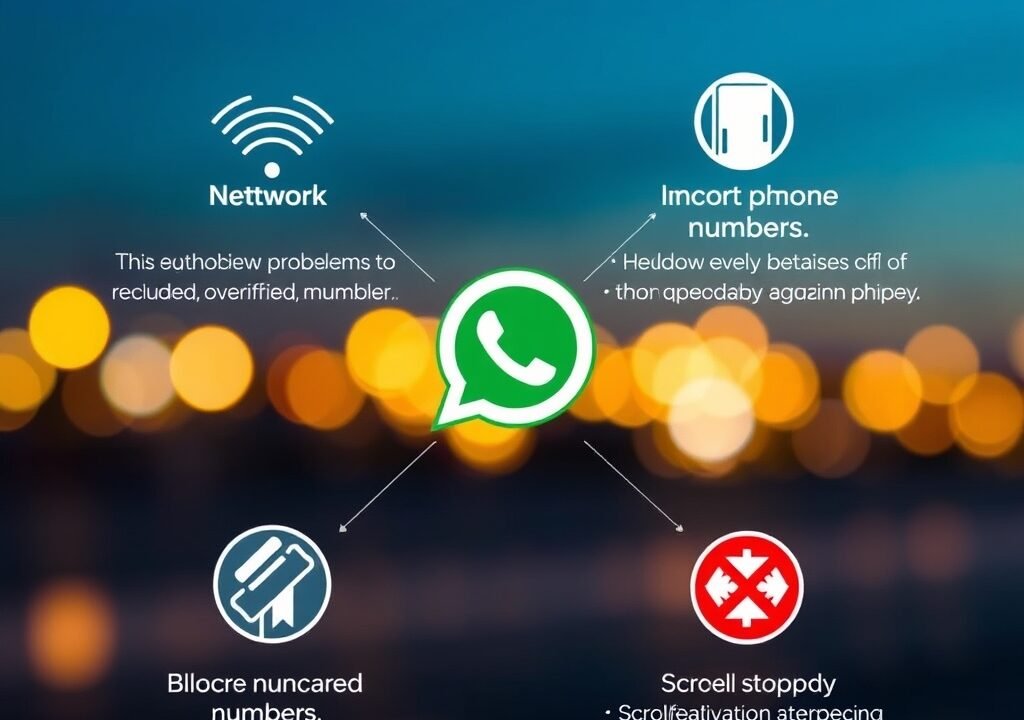
Identifying the root cause of your WhatsApp verification issue is crucial for finding a solution. Here are some of the most common reasons why users face difficulties during the verification process:
- Incorrect Phone Number: One of the most frequent mistakes is entering the wrong phone number. Make sure you’ve included the correct country code and that there are no typos. For example, if you’re in the U.S., you should enter +1 followed by your area code and number.
- Network Issues: Poor network connectivity can hinder the receipt of your verification code. If you’re in an area with weak cell service, consider switching to a Wi-Fi network. In many cases, I’ve found that moving just a few feet can drastically improve my connectivity.
- Blocked Numbers: Some carriers may block calls or texts from automated systems, including WhatsApp. Check with your service provider to ensure this isn’t the case. A friend of mine had this issue and discovered that her carrier had mistakenly flagged WhatsApp messages as spam!
- Using VoIP Numbers: WhatsApp does not support verification codes sent to VoIP numbers, such as those from Google Voice. If you’re using one, switch to a traditional mobile number. VoIP numbers can be convenient, but they can complicate your verification process.
- Multiple Attempts: If you’ve attempted to verify your number too many times within a short period, WhatsApp may temporarily block further attempts. This can also lead to delays in receiving the verification code. Patience is key here; give it some time before trying again.
By recognizing these common causes, you can take a more targeted approach to resolve your WhatsApp Verification Issue.
Steps to Fix WhatsApp Verification Issues
If you’re struggling to verify your WhatsApp account, don’t panic. Here’s a step-by-step guide to help you troubleshoot and fix the problem:
- Double-Check Your Number: Ensure that the phone number you entered is correct. Include the country code and check for any typos. It may seem trivial, but this small step can save you a lot of time and frustration.
- Check Network Connectivity: Make sure you have a stable internet connection. Switch between mobile data and Wi-Fi to see if that helps. I often find that my Wi-Fi connection is stronger in different rooms of my house, so moving around can sometimes make all the difference.
- Request a Call: If you’re not receiving the SMS, opt for a voice call. This option is available on the verification screen and may work better in some cases. A quick phone call often does the trick, as I’ve experienced during my own setup struggles.
- Wait a Bit: If you’ve made multiple attempts, wait for a while before trying again. WhatsApp usually imposes a cooldown period after several failed attempts. This is a security measure, and it’s worth respecting the time they set.
- Contact Your Carrier: If you suspect your carrier might be blocking messages from WhatsApp, reach out to them for assistance. It can be surprising how often carriers mismanage these automated messages.
Following these steps can often resolve the WhatsApp Verification Issue, allowing you to get back to chatting with your contacts.
When to Contact WhatsApp Support
Despite your best efforts, there may be times when you still can’t resolve the verification issue. In such cases, it might be time to reach out to WhatsApp support. Here’s when you should consider this option:
- If you’ve verified your number multiple times without success.
- If you receive an error message that you can’t understand.
- If you’re unable to receive the verification code via SMS or call.
- If you suspect your account has been compromised or is being used fraudulently.
When contacting support, be as detailed as possible. Include your phone number, the exact problem you’re experiencing, and any error messages you’ve received. This will help the support team assist you more effectively. I once had to do this, and providing clear details made the process much smoother. Phone Charging Slowly Fix: Top Solutions You Need to Know
Preventing Future WhatsApp Verification Issues
No one wants to go through the hassle of verification issues repeatedly. Here are some preventive measures you can take:
- Keep Your Phone Number Updated: If you change your phone number, ensure that you update it in your WhatsApp account settings to avoid future verification issues. This is especially important if you frequently switch numbers for work or travel.
- Use Reliable Connectivity: Always try to verify your account in an area with a strong network connection to reduce the chances of failure. I always make sure to be at home or in a reliable Wi-Fi zone when setting up new apps.
- Be Cautious with Multiple Accounts: If you’re using multiple WhatsApp accounts on the same device, it can confuse the verification system. Stick to one account per device when possible. Using a dual SIM phone can help manage multiple accounts, but be aware of the potential for mix-ups.
- Monitor Carrier Settings: Occasionally check with your mobile carrier, especially if you experience issues receiving messages or calls from automated systems. Sometimes, simply asking about any restrictions can clear up confusion.
By taking these precautions, you can significantly reduce the likelihood of encountering a WhatsApp Verification Issue in the future.
Understanding WhatsApp’s Security Measures
WhatsApp employs various security measures to protect your account during the verification process. These measures are essential for ensuring that only the rightful owner can access the account. Here’s how it works:
When you attempt to verify your number, WhatsApp sends a unique code to the number you provided. This code is time-sensitive and can only be used once. If someone else tries to access your account with your number, they won’t be able to complete the verification process without having access to your SMS or phone calls. This two-step verification adds an extra layer of security, making it difficult for unauthorized users to take over your account.
Additionally, WhatsApp monitors unusual activity on accounts. If they detect multiple failed verification attempts, they may temporarily lock the account as a precaution. This helps protect your account from potential hacking attempts. I once faced this issue when trying to verify my account after changing devices. After several failed attempts due to network issues, I had to wait 24 hours before I could try again, which was a stark reminder of how important it is to follow the guidelines.
Real User Experiences with WhatsApp Verification Issues
Many users have shared their experiences with WhatsApp verification issues online. Some have faced simple problems, while others encountered complex challenges. Here are a few examples:
- A user reported that they entered the correct phone number but didn’t receive the SMS. After waiting for an hour, they opted for the voice call option, which worked immediately. This highlights how sometimes, the simplest solutions can be the most effective.
- Another user noted that after changing their SIM card, they couldn’t receive the verification code. After contacting their carrier, they learned that their new SIM was not activated yet. This serves as a reminder to always ensure your SIM is active when switching providers.
- Some users have found that updating the app or reinstalling it resolved their issues. This can often help with any bugs or glitches that might be causing problems with the verification process. I’ve personally done this with other apps and found it to be a quick and effective fix.
These stories illustrate that while the WhatsApp Verification Issue can be frustrating, most problems can be resolved fairly easily with the right approach and knowledge.
WhatsApp Alternatives and Their Verification Processes
If you’re consistently facing problems with WhatsApp, you might consider alternatives. There are several messaging apps available that offer similar features, though their verification processes may differ: Recover Deleted Photos Android: A Complete Guide
- Telegram: Telegram uses a similar verification method but allows you to also use a bot to help with the process. This can be helpful if you’re having trouble receiving codes. I’ve found Telegram to be quite user-friendly and versatile.
- Signal: Signal offers end-to-end encryption and has a straightforward verification process, often involving a simple code sent to your number. It’s a great choice if privacy is your main concern.
- Viber: Viber’s verification process is akin to WhatsApp’s but also allows verification through a QR code. This is a unique feature that can speed up the process if you’re in a pinch.
Each of these apps has its own strengths and weaknesses, so it’s worth exploring them if you’re looking for a reliable messaging solution that suits your needs. For example, I recently tried Signal and was impressed by its focus on security, though I missed some of the group features available on WhatsApp.
Conclusion: Overcoming the WhatsApp Verification Issue
In summary, the WhatsApp Verification Issue can be a frustrating experience, but understanding the common causes and solutions can help you navigate it effectively. By following the troubleshooting steps outlined in this article, staying aware of WhatsApp’s security measures, and considering alternatives, you can ensure a smoother messaging experience. If problems persist, don’t hesitate to reach out to WhatsApp support for assistance. Remember that you’re not alone in this; many users have faced similar challenges, and with the right tools and knowledge, you can overcome them.
FAQs

1. Why am I not receiving my WhatsApp verification code?
This could be due to network issues, an incorrect phone number, or your carrier blocking messages from WhatsApp. Ensure your number is correct and check your connectivity.
2. How many times can I request a verification code?
You can request a code multiple times, but after several failed attempts, WhatsApp may temporarily block further requests to prevent abuse.
3. Can I use a landline for WhatsApp verification?
WhatsApp primarily supports mobile numbers for verification. Using a landline may not work, as it typically requires SMS or voice calls.
4. What should I do if my number is blocked by WhatsApp?
If you believe your number has been mistakenly blocked, reach out to WhatsApp support with your details for assistance.
5. Are there any alternatives to WhatsApp for messaging?
Yes, alternatives like Telegram, Signal, and Viber offer similar messaging features and may provide different verification processes. You might find that one of these suits your needs better than WhatsApp.