
Understanding WhatsApp Privacy Settings
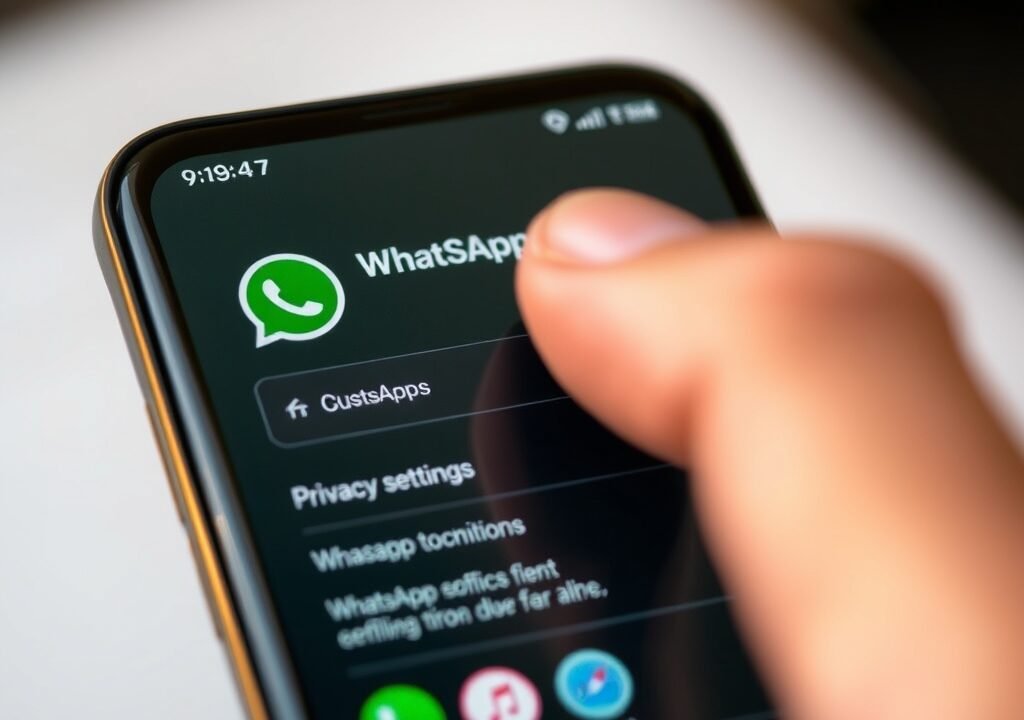
WhatsApp has become a staple in modern communication, but with its widespread use comes concerns about privacy and data security. If you’re wondering about the WhatsApp Privacy Settings Explained, you’re in the right place. The app offers a range of privacy features that allow you to manage who sees your information, who can contact you, and how your data is used.
To start, WhatsApp provides users with the ability to customize their privacy settings. This means you can control your visibility and who has access to your personal information. Many users may not realize just how much control they have over their privacy, leading to potential vulnerabilities. Understanding these settings not only enhances your security but also helps you make informed decisions about your interactions on the platform.
Account Privacy Settings
When you navigate to the privacy settings in WhatsApp, you’ll find several important options under the Account tab. Here, you can manage your personal information and visibility. Let’s break these down further.
Profile Photo
Your profile photo is often the first impression others have of you on WhatsApp. The settings allow you to choose from three options: Everyone, My Contacts, or My Contacts Except…. Selecting Everyone means anyone with your number can see your picture, which might not be ideal for those concerned about privacy. Opting for My Contacts limits visibility to people you know, while My Contacts Except… gives you the flexibility to exclude specific individuals. For instance, I once had a colleague who added a professional photo but chose to exclude a few acquaintances who often misused her contact information. That small choice made her feel much safer.
Last Seen
The Last Seen feature indicates when you were last active on the app. Similar to your profile photo, you can customize this setting to control who sees this information. The options include Everyone, My Contacts, and No One. If you prefer not to share your last seen status, selecting No One is the safest approach. However, keep in mind that if you hide your status, you won’t be able to see others’ last seen times either. I remember when I first disabled this feature; it felt liberating to not worry about being online or offline constantly. It encouraged more intentional conversation timings.
Read Receipts and Status Updates
Another crucial aspect of WhatsApp’s privacy settings involves Read Receipts and Status Updates. These features can be a double-edged sword when it comes to privacy.
Read Receipts
Read receipts are the blue ticks that appear when someone has read your message. You can disable this feature if you want to maintain privacy regarding your reading habits. However, disabling read receipts also means you won’t receive blue ticks when your messages are read, creating a mutual understanding of privacy between you and your contacts. When I turned off read receipts, I found that my friends became more understanding about delayed responses. They weren’t anxiously waiting for a blue tick before sending follow-up messages!
Status Updates
Status updates let you share photos, videos, and text with your contacts for 24 hours. You can control who sees your status updates by choosing My Contacts, My Contacts Except…, or Only Share With…. This is particularly useful if you want to share something with a select group of friends without broadcasting it to everyone. For example, I often share travel updates, and using the Only Share With… option allows me to keep certain friends in the loop while excluding those who may not be interested.
Managing Your Contacts
Privacy isn’t just about controlling visibility; it’s also about managing who can reach you. WhatsApp allows you to control your contact list effectively.
Blocking Contacts
If someone is bothering you, blocking them is straightforward. Simply go to the chat with the person you want to block, tap on their name, and select Block Contact. This prevents them from messaging you or seeing your last seen, profile photo, and status updates. It’s an effective way to maintain your peace while using the app. I remember blocking an old acquaintance who kept sending unsolicited messages; it made my WhatsApp experience much more enjoyable. How to Optimize Android Storage Management
Reporting Contacts
In addition to blocking, WhatsApp provides an option to report contacts who may be harassing you or sending spam. When you report a contact, WhatsApp reviews the messages to determine if they violate their policies. This helps keep the platform safe for everyone. Just last month, I had to report a spammer who was sending repetitive messages about “investment opportunities.” Reporting them not only protected me but potentially others as well.
Data Security Features
WhatsApp takes data security seriously, offering several features to help protect your information.
Two-Step Verification
Enabling two-step verification adds an extra layer of security to your account. When you activate this feature, you’ll need to enter a six-digit PIN when registering your phone number with WhatsApp again. This makes it significantly harder for anyone to gain unauthorized access to your account, as they would need both your phone and the PIN. I remember when I set this up; it felt like fortifying my digital castle. It’s a small step but provides immense peace of mind.
End-to-End Encryption
All messages sent on WhatsApp are protected by end-to-end encryption, meaning only you and the person you’re communicating with can read them. This feature ensures that even WhatsApp itself cannot access your messages. However, users should still be cautious about what they share, as screenshots can still be taken by the other party. I once had a conversation where one party shared sensitive information; thankfully, we both trusted each other, but it’s a reminder to be cautious.
Customizing Notifications
WhatsApp also allows you to customize notifications, which can help you manage your privacy on the app. You can adjust settings for individual chats or groups, ensuring that you’re only alerted for messages that matter to you.

Mute Notifications
If you’re in a group chat that’s too active, you can mute notifications for that specific chat. This doesn’t prevent you from seeing messages; it simply stops alerts from coming through. You can choose to mute for 8 hours, 1 week, or even a year. I often mute large family groups during the holidays when the chatter gets overwhelming; it helps me enjoy the festivities without constant interruptions!
Custom Notifications
For important chats, you can set custom notifications. This means you’ll receive unique alerts for different contacts, allowing you to prioritize who you respond to first without constantly checking your phone. For instance, I have a distinctive notification for urgent work messages, which helps me separate personal and professional communication effectively.
Privacy in Group Chats
Group chats can often feel less secure than one-on-one conversations. WhatsApp provides several privacy settings specifically tailored for group chats to enhance your security.
Group Privacy Settings
You can control who can add you to groups. Under the privacy settings, you’ll find an option to select Everyone, My Contacts, or My Contacts Except…. Choosing the latter helps you avoid unwanted group invitations from people you don’t want to interact with. I’ve used this feature to prevent random acquaintances from adding me to irrelevant groups, ensuring my WhatsApp stays clutter-free! Ultimate Chrome Notifications Fix: Solve Your Issues Fast
Group Messages
In group chats, you can also choose who can send messages. If you’re managing a group, you can set it so that only admins can send messages, which can help reduce noise in highly active groups. This feature gives you more control over the conversation flow. I’ve seen this used effectively in study groups, keeping distractions at bay while allowing important announcements to be made without interruption.
Location Sharing and Privacy
Location sharing is another feature where privacy settings are vital. WhatsApp allows you to share your real-time location with contacts, but this can also pose risks if not managed properly.
Real-Time Location Sharing
When sharing your location, you can choose to do it for a fixed duration—15 minutes, 1 hour, or 8 hours. It’s essential to be cautious about whom you share this information with, as it can lead to unwanted attention if shared with the wrong person. I once shared my location with a friend during a night out, but I made sure it was for just an hour, ensuring I’d have control back after a quick meetup.

Location Privacy Settings
You can stop sharing your location at any time. If you’ve shared your location with someone and no longer want them to see it, simply turn off location sharing in the chat. This gives you control over when and how your location is shared, which can be particularly important for your safety.
FAQs
How can I access the privacy settings on WhatsApp?
To access privacy settings, open WhatsApp, go to Settings, then Account, and select Privacy.
Can I hide my profile picture from specific contacts?
Yes, you can choose to share your profile picture with Everyone, My Contacts, or My Contacts Except….
What happens if I block someone on WhatsApp?
When you block someone, they can no longer send you messages, and they can’t see your last seen, profile photo, or status updates.
Is two-step verification necessary?
While not strictly necessary, enabling two-step verification is highly recommended for added security.
How can I report spam on WhatsApp?
You can report spam by opening the chat, tapping on the contact name, and selecting Report Contact.
By taking the time to explore these privacy settings, you can make WhatsApp a safer and more personal space for your communications. It’s all about finding the balance that works for you and ensuring your experience on the platform is as enjoyable as it is secure.